


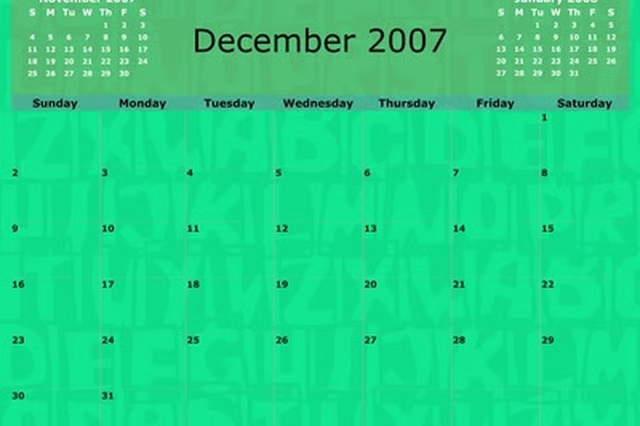
Maintaining a personal planner is key to staying organized in a busy world. If the cost of purchasing a monthly planner doesn't appeal to you, make your own pocket planner. You can print off a month-at-glance template from an online source or create your own by hand. Either way, you will save money and stay organized. By keeping a planner this way, you will be able to cater to your very own needs and style.
Things You'll Need:
Things You Will Need
Print a Template
Visit an online website that provides calendar or planner templates. Consider using DIY Planner.
Select the paper size you wish to make your month-at-glance calendar.
Select the topic of your template, which is "DIYPlanner.com" if you decide to go with that website. Hit "Submit" for template results.
View the template options for calendars. Select the one you like best by clicking on the pdf file below the image of the template.
Print your template. Consider printing it on card stock paper if you want it to be more durable than regular printing paper.
Write the month and year onto your calendar template. Add any necessary days or dates of each week if they were not provided on the original template.
Write any specific plans onto the days of your planner where you need to remember something.
Make By Hand
Create square grids equal in size on a notecard using a straight edge (like a ruler) and a writing utensil. Leave a small space at the top where you can later fill in the month and year. There should be five vertical lines, creating seven sections, one for each day of the week. Make three to four horizontal lines to help represent each day in the month. Make one square for each day of the month. Determine the size of each square based on how many days in the month you have to fit onto the notecard. If you wish to have more room to write notations for each day of the month, consider using both the front and back sides of the notecard, allowing for larger squares.
Label each day of the week at the top of your notecard. Each vertical section should have a label at the top for Monday, Tuesday, Wednesday, Thursday, Friday, Saturday, and Sunday. Additionally you can add the specific month and year at the very top of the notecard, or on the back side.
Label each day of the month from one through the total number of days in the month. Place the number on the top left corner of the appropriate square on the grid.
Write any reminders in small print on any given date on your month-at-a glance calendar.