
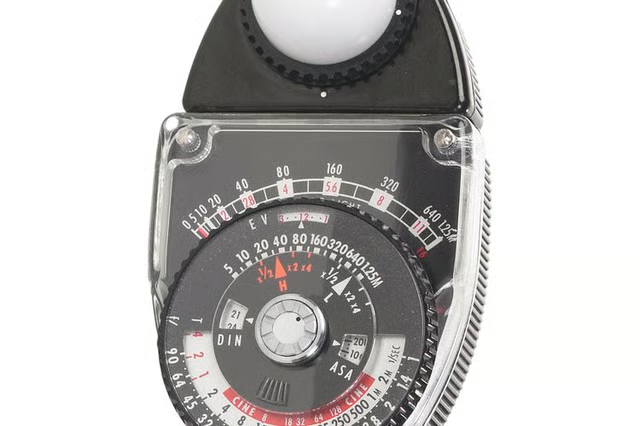


Though most cameras now have built-in light meters, you might still want to use a handheld light meter to take more accurate light readings. Analog light meters work the same way that digital light meters do, except they give you readings on an analog measurement scale rather than on a digital screen. You can purchase analog light meters that will take incident light readings, reflected light readings, or both.
Things You'll Need:
Things You Will Need
Turn the ISO dial on the light meter until the film speed you are using appears in the window. The light meter will then adjust its readings according to this film speed.
To take a reflected light reading, point the light meter at your subject. A reflected reading records the amount of light reflecting off of your subject. Though this kind of reading will often be less accurate than an incident light meter reading, it is your only option when you're photographing subjects at a distance.
To take an incident light reading, place the light meter in the same light as the subject. This kind of reading records the light falling on the subject rather than the light reflecting off the subject. You’ll know that your light meter can take incident readings if it has a small white hemisphere over the sensors. Light meters that can take incident and reflected light readings have a moveable hemisphere you can slide back and forth. Slide the hemisphere over the sensor to take an incident light reading.
Wait for the light meter’s needle to stabilize. The needle should align with two numbers, including a shutter speed number and an aperture number. This combination of shutter speed and aperture should produce a correct exposure for the given light situation. If you want to adjust one of these settings, make sure you adjust the other accordingly. For example, if you want to use a slower shutter speed than the light meter recommends, compensate for the added light by using a smaller aperture.