How to Thread a Bobbin on a Sew E-Z Machine

How do I Use a Brother Xl-5130 Sewing Machine?
Published: Oct 22, 2010
Updated: Feb 23, 2021
1 minute read

Threading a bobbin in particular can be intimidating, especially if you are new to sewing. Mastering the process of threading the bobbin on a Sew E-Z is a relatively straightforward process, and with practice can help you shorten the amount of time it takes to get from pattern to finished product.

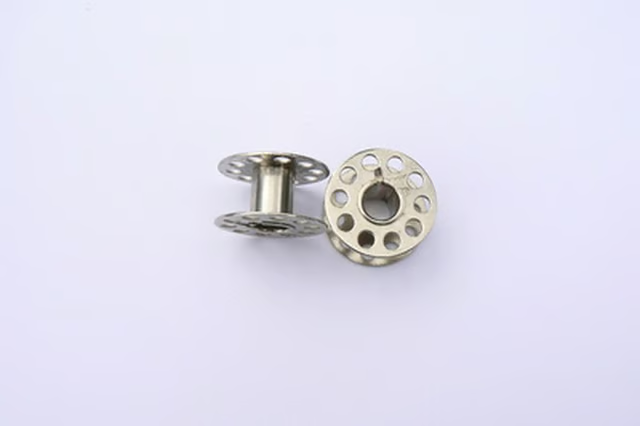
bobbins image by Alison Bowden from Fotolia.com

Things You'll Need:

Things You Will Need

  • Sew E-Z Machine
  • Full Bobbin
  • Push the bobbin-cover-plate release button on the back of the machine to pop up the edge of the bobbin cover.

    Remove the bobbin cover located to the right of the needle/foot of the machine.

    Place a new bobbin in the bobbin compartment. Make sure the thread of the bobbin is pulling counterclockwise.

    Turn the hand wheel toward you to make the needle go down into the needle plate. This will bring the end of the bobbin thread up through the needle plate.

    Grab the end of the bobbin thread and the needle thread and pull a few inches of thread toward the back of the machine.

    Replace the bobbin cover and snap into place.

    Warnings:

    • Be careful when you are turning the hand wheel that no part of your body or clothing is underneath the needle.

    Tips

    Be certain your needle is threaded before attempting to thread the bobbin.

    Make sure to test your newly threaded machine on scrap material before you begin sewing your actual project.

    Warnings

    Be careful when you are turning the hand wheel that no part of your body or clothing is underneath the needle.

    Sponsored
    Our Pastimes Logo

    A destination for the avid collector and weekend hobbyist alike, Our Pastimes features articles and tips about your favorite cards and games, hobbies and more.

    Property of TechnologyAdvice. © 2026 TechnologyAdvice. All Rights Reserved

    Advertiser Disclosure: Some of the products that appear on this site are from companies from which TechnologyAdvice receives compensation. This compensation may impact how and where products appear on this site including, for example, the order in which they appear. TechnologyAdvice does not include all companies or all types of products available in the marketplace.