


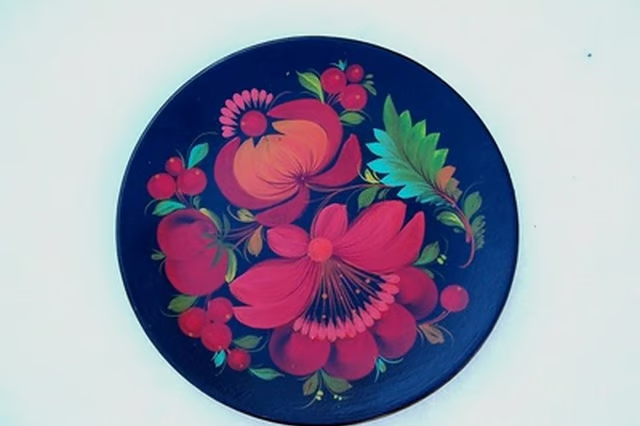
A decorative china plate featuring a picture makes a special gift or memento for a friend or family member. While many photo-finishing stores print images onto a variety of surfaces, including china plates, with your computer and printer it is possible to do this type of work yourself.

Things You'll Need:
Things You Will Need
Select the picture you wish to transfer onto a china plate and then obtain a digital copy of the picture. If you only have a hard copy, scan the picture into your computer.
Size the picture on your computer to ensure it will fit on the plate. Adjust the picture with a graphics program, such as Adobe Photoshop or Microsoft Paint. If you do not own a graphics program, simply paste the image into a word-processing program and size it with the horizontal ruler across the top of the page.
Test print the image on a piece of white paper to check quality, size, and color. If the color is weak, replace your printer’s toner cartridge. If the size is wrong, resize the picture accordingly.
Insert a piece of white or clear decal paper into your printer tray. The image will be printed on the shiny side of the paper, so position it upward or downward, depending on how your printer feeds paper. Print the image onto the decal paper.
Apply six coats of clear-coat spray onto the decal paper. Clear coat is available in a matte or glossy finish. Let each coat dry according to the paint manufacturer's instructions, which is usually 30 to 60 minutes. Ensure each coat is dry before spraying on an additional coat. The clear-coat spray protects the decal prior to placing it in water. Without the clear-coat spray, the decal will flake apart.
Cut out the image with scissors and place it in a bowl full of warm water. The warm water will separate the decal from its paper backing. When the decal begins to loosen from its backing, it is time to apply the decal. A decal the size of a small plate takes from 30 to 45 seconds to loosen. Smaller decals take from 15 to 20 seconds.
Pull the decal out of the water and position it on the plate. Gently slide the paper backing off the decal and position the decal exactly where you want it. Once the decal is in place, dab off excess water with a paper towel and let the decal fully air dry. The decal should dry in less than 10 minutes.
Warnings:
- Do not eat food off a plate with a picture decal, because clear-coat spray is toxic and could transfer to your food. Your picture plates are decorative only.