


Nothing on an audio tape will sound right if it's moving too slowly. Even dry dialogue is interrupted by a dragging cassette. The problem is usually in the cassettes, not the cassette player. An audio cassette has to maintain a certain tension on its own spools to move at the correct speed. Fixing slow cassette tapes will help you hear the recording at the proper speed.
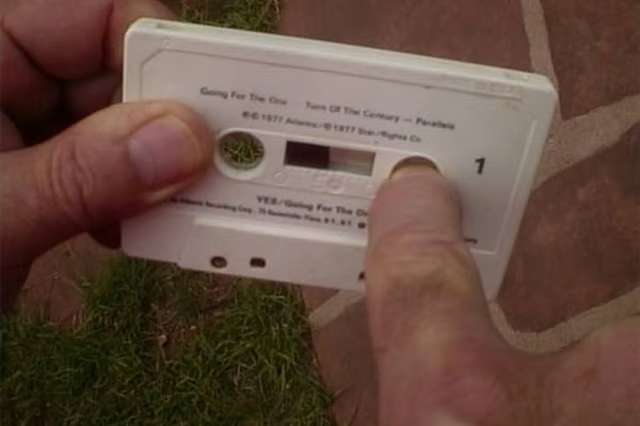
Check the slow cassette to see if it's wound too tightly. Hold the tape in one hand while pressing a finger from your other hand into the center of one of the hubs. Turn the hub to pull tape from the opposite spool by catching one of the cogs with your fingernail. Difficulty in turning the wheel or snagging shows there is too much tension.
Use the tape deck to move the tape from spool to spool in the cassette. Slip the tape into the player, and repeatedly use fast forward and reverse to send the tape to its opposing spools at high speed. Two cycles to both sides will prove to loosen the tape to a degree.
Set the tension. Stop the cassette from rewinding with nearly equal amounts of tape on both spools. Stick a finger from one hand into one hub and hold it still. Stick a finger from your other hand into the other hub and turn the tape to pull from the stationary side. Turn the hub until it stops to remove all the slack. That sets the tension properly for playing at the correct speed.