How to Remove a Carriage From an Underwood Typewriter

How to Remove a Carriage From an Underwood Typewriter
Written By
Austin Cross
Austin Cross
Published: Jan 15, 2011
Updated: Jan 10, 2019
1 minute read

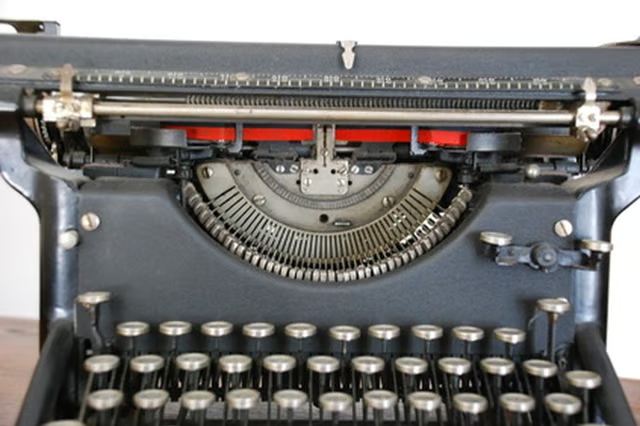
Underwood typewriters have a long, respectable history. First making their debut in the 1890s, Underwood typewriters went on to be the typewriter of choice for offices, news services and authors around the world. Frequently, the spring line on older typewriters will break after many years of use. The spring line is a string attached to a rotating spring that advances the typewriter forward with each key you press. In order to have a working typewriter, you will need to access the spring to re-string your typewriter by removing the carriage.

Tastatur image by ernstboese from Fotolia.com

Look to the far right of your typewrite as it sits on your desk.

Pull the top right lever on the carriage and slide the carriage to the left.

Flip your typewriter upside down and look under the carriage. You should see a metal flap or button.

Press the flap or button and slide the carriage to the right. It should slide off.

Austin Cross

Austin Cross began writing professionally in 2007, with work appearing on the websites for KAPU Radio and CBS Radio. He specializes in restoration of vintage studio electronics including microphones, radios, tape players and record…

Sponsored
Our Pastimes Logo

A destination for the avid collector and weekend hobbyist alike, Our Pastimes features articles and tips about your favorite cards and games, hobbies and more.

Property of TechnologyAdvice. © 2026 TechnologyAdvice. All Rights Reserved

Advertiser Disclosure: Some of the products that appear on this site are from companies from which TechnologyAdvice receives compensation. This compensation may impact how and where products appear on this site including, for example, the order in which they appear. TechnologyAdvice does not include all companies or all types of products available in the marketplace.