


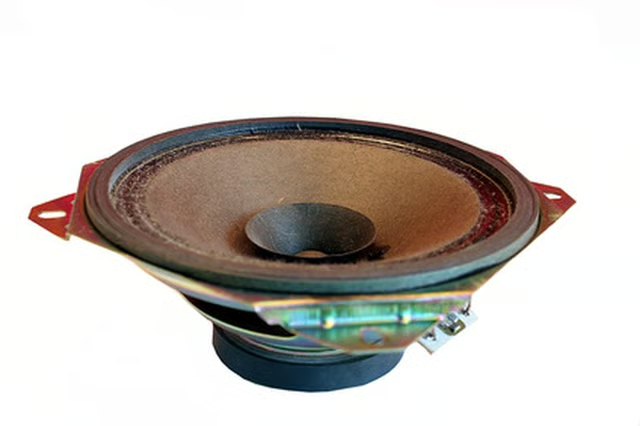
Repairing your Polk Audio speakers can seem like a very challenging task, particularly if you have never done any technical work on audio equipment before. However, many of the steps taken to fix common problems encountered with Polk Audio speakers can be done by almost anyone as long as you are patient. Other repairs do require a bit more technical knowledge, so if you are unsure of how to perform them, it is best to take your speaker to a professional technician for advice.
Things You'll Need:
Things You Will Need
Fixing a Torn Speaker
Cut three pieces of tissue paper stacked on top of each other approximately three times the size of the tear in your speaker cone with a pair of scissors. This is an especially useful fix if your speakers have grill cloth that will cover the speaker cone.
Put superglue on the edges and center of the tissue paper on a flat work surface.
Put the tissue paper over the torn part of the speaker cone, and smooth the edges of the tissue paper over the speaker cone so it is taut.
Place the speaker on its back with the cone pointing toward the ceiling for 4 to 6 hours to dry.
Replacing a Speaker Diaphragm
Remove the grill cloth and outside of the speaker enclosure with an appropriate size screwdriver. The type of screwdriver will depend on your particular model of Polk Audio speakers.
Locate the speaker diaphragm and remove it from the body of the speaker with your soldering iron.
Identify the type of diaphragm being used in your particular model of speakers. Most will be labeled on the diaphragm. If not, you will need to locate a schematic for the speaker or take the diaphragm to a technician that can identify it and order a replacement for you.
Insert the new diaphragm in place and solder the diaphragm in place. Close the speaker the same way you took it apart and test the diaphragm to make sure it is properly connected.
Replacing the Grill Cloth
Remove the grill from the front of the speaker or speakers as carefully as possible. Use scissors if necessary, though you should be able to pry the whole grill cloth out with your fingers.
Measure the old grill cloth with a tape measure. Add one inch to the measurement, and cut your new grill cloth to that size.
Apply the spray adhesive to the outside edges of the grill cloth material and wrap the grill cloth tightly around the frame that fits over the speaker.
Place an object with some weight on the frame to help the drying process. A heavy book works particularly well. Let the adhesive dry for 6 to 8 hours before removing the item and putting the grill back on the speaker.
Warnings:
- Don't perform any task on your speakers that you don't feel capable of doing. Take your speakers to a technician or seek help from an experienced friend. It may be cheaper to do the work yourself, but repairing damage caused by poor workmanship will be more expensive in the long run.