How to Add a Controller to a PS3

How to Add a Controller to a PS3
Written By
Nick Miles
Nick Miles
Published: Jan 1, 2010
Updated: Jan 10, 2019
1 minute read

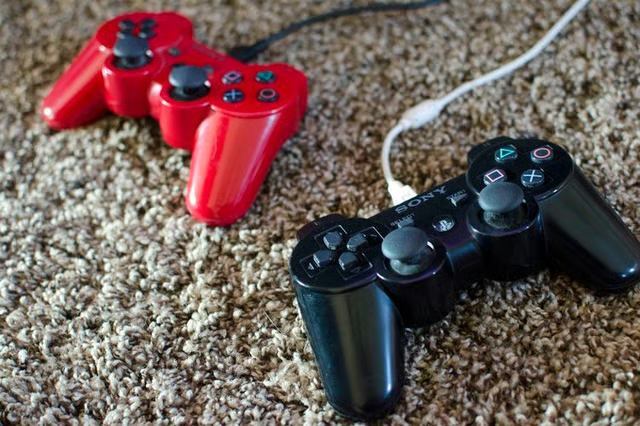
Unlike previous PlayStation consoles, the Sony PlayStation 3 was built for support of more than 2 controllers. In fact, the PS3 can recognize up to 7 wireless Bluetooth controllers. While there is no sync button as there is with the Xbox 360 and Wii, connecting multiple PS3 controllers is quite easy if you follow these steps.
Tara Novak/Demand Media

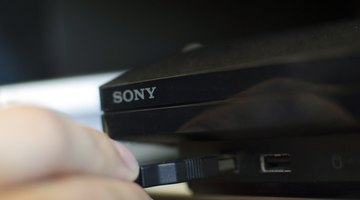
Plug in the controller into the PS3 via the USB cable.
Tara Novak/Demand Media

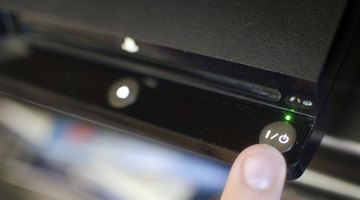
Turn on the PS3.
Tara Novak/Demand Media

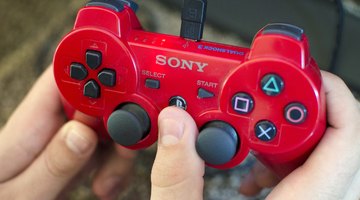
The controller will automatically sync with the PS3 and will be given a player number from 1 to 7, indicated by a red light on the back of the controller. If the sync does not occur automatically, press the PS button on the controller and the pairing will occur.

Warnings:

  • Pairing a controller with a new PS3 will erase any previous pairings. To re-sync with another console, you will have to pair it again.
Nick Miles

Nick Miles has been writing since 2006, with articles appearing on the sci-fi and horror website FanCrush Networks. Miles holds a Bachelor of Arts in film and electronic arts from California State University, Long Beach.

Sponsored
Our Pastimes Logo

A destination for the avid collector and weekend hobbyist alike, Our Pastimes features articles and tips about your favorite cards and games, hobbies and more.

Property of TechnologyAdvice. © 2026 TechnologyAdvice. All Rights Reserved

Advertiser Disclosure: Some of the products that appear on this site are from companies from which TechnologyAdvice receives compensation. This compensation may impact how and where products appear on this site including, for example, the order in which they appear. TechnologyAdvice does not include all companies or all types of products available in the marketplace.